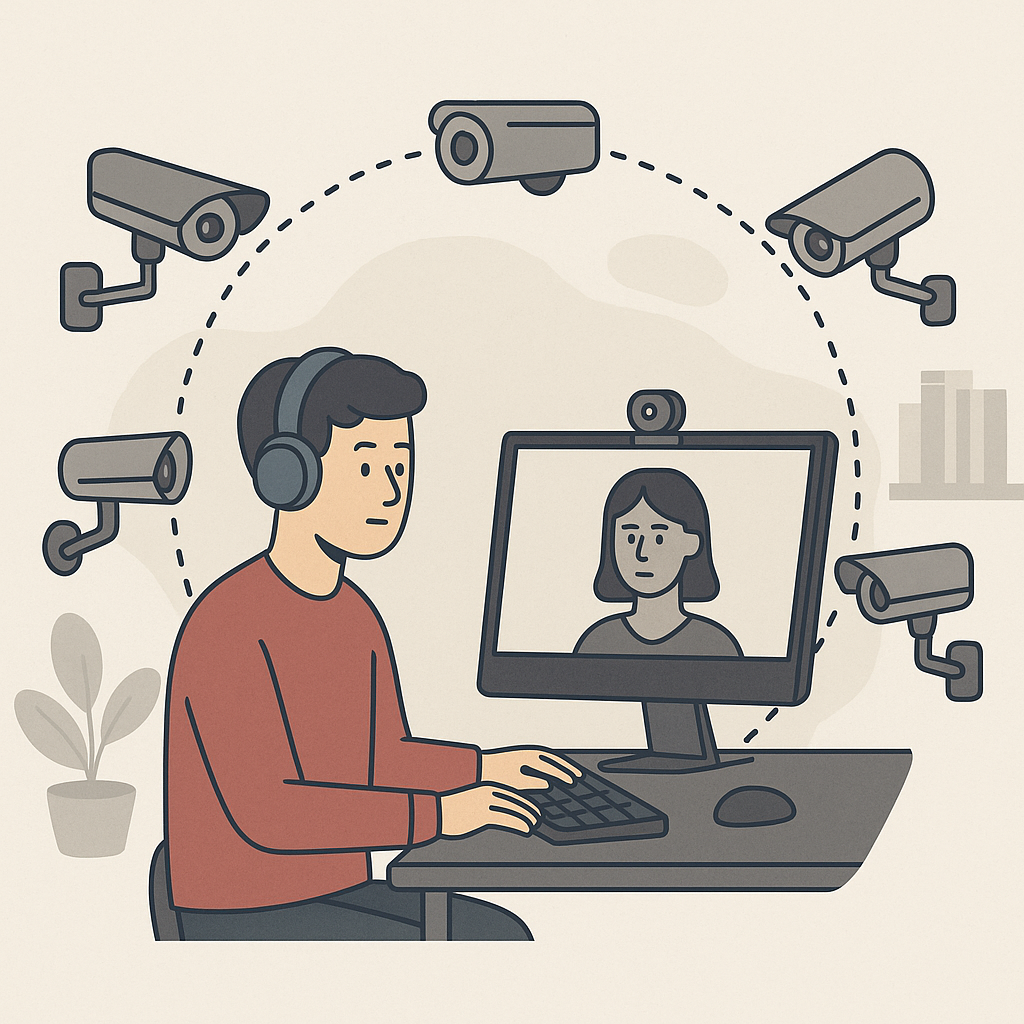

Remote proctoring technology has raced ahead in the last few years, and one of the flashiest promises on the market is 360° visibility. Multiple vendors now promote 360° camera setups or multi-angle streaming as the "gold standard" for exam integrity—often implying that anything less is unsafe.
But for many programs, that pitch raises tough questions:
Do we really need full-room visibility? For which exams? What does it actually catch that a well-configured single-camera or browser-lock solution can’t? And at what cost—in bandwidth, logistics, and student experience?
In this guide, we’ll unpack when 360° remote proctoring is truly justified, when it’s overkill, and how to design a risk-based proctoring strategy that balances security, scalability, and fairness.
What Is 360° Remote Proctoring, Really?
“360° proctoring” is a marketing umbrella term rather than a single technology. In practice, it usually means one or more of the following:
- A dedicated 360° webcam that captures the entire room in a single panoramic view
- Multiple standard webcams positioned to cover front, side, and overhead angles
- A hybrid setup that stitches together feeds from laptop camera, external camera, and sometimes a mobile device
- Additional context streams such as screen capture, audio, and system data, combined into a consolidated “total view”
The goal is simple: minimize blind spots so a test-taker can’t easily step out of frame to access a hidden device, collaborate with another person just off camera, or reference unauthorized materials out of view.
Compared to traditional single-camera remote proctoring, 360° setups:
- Increase coverage of the test-taker’s physical environment
- Make it harder to hide devices on side tables or behind the monitor
- Provide richer context for human or AI proctors to interpret suspicious behavior
But they also introduce trade-offs—especially around complexity, bandwidth, accessibility, and perceived invasiveness.
The Real Threats 360° Proctoring Helps Address
Before deciding whether you “need” 360°, it’s important to understand which threats it actually mitigates. In most remote exam programs, the highest-risk cheating patterns include:
1. Off-camera collaboration
- Another person in the room, out of frame, feeding answers or solving questions
- Whispered or chat-based coordination just outside the camera’s cone
2. Hidden physical devices
- Secondary laptops or tablets off to the side
- Smartphones placed behind the primary screen or to the test-taker’s non-dominant side
- Printed notes or textbooks placed on nearby surfaces
3. Unauthorized reference materials in the room
- Whiteboards or charts behind the camera
- Pinned notes, sticky notes, or cheat sheets on walls
- Open books on an adjacent desk
4. Content theft and recording
- Using a second device out of frame to photograph or record exam questions
- Collaborators behind the camera taking screenshots or writing down items
A single front-facing webcam and screen recording can partially address these risks, but there are obvious blind spots. A determined test-taker can:
- Keep a phone on the desk just off to the side
- Place a collaborator slightly out of frame
- Use materials on a wall behind the camera’s field of view
This is the gap 360° proctoring is designed to close. By capturing all angles, it becomes significantly harder to:
- Hide a person in the room
- Place a device or notes outside of visible range
- Secretly record content without some visual evidence in the full-room feed
If your program’s primary risk scenario is high-value exams where organized cheating and content theft are likely, 360° coverage can be a meaningful control.
When 360° Remote Proctoring Is Worth the Investment
Not every assessment deserves the same security stack. 360° setups are most defensible when three conditions are met:
1. The Exam Is Truly High-Stakes
360° proctoring makes the most sense when the consequences of compromise are severe. Examples include:
- Professional certification or licensure exams with regulatory implications
- High-stakes university finals that determine progression, graduation, or scholarships
- Gateway exams for medical, legal, engineering, or other safety-critical professions
- Vendor or partner assessments whose integrity affects contractual obligations
In these environments, a single cheating incident can:
- Undermine trust in the credential
- Trigger regulatory scrutiny or legal exposure
- Damage institutional reputation and revenue
Here, the extra setup, cost, and scrutiny of 360° proctoring can be justified as proportional to the risk.
2. You Face Organized or Repeat Fraud Attempts
If your exam program has already seen organized cheating or professionalized fraud, full-room visibility becomes more compelling. Signals include:
- Evidence of proxy test-takers or impersonation
- Item exposure and content showing up in online dumps or prep sites
- Clusters of suspicious results from specific regions, centers, or cohorts
- Repeat attempts by the same candidates or groups with unusually similar answer patterns
In these scenarios, 360° coverage:
- Makes it harder to sneak in unauthorized helpers or devices
- Increases the chance of catching repeat offenders via behavioral patterns
- Provides richer video evidence to support disciplinary or legal actions
3. Candidates Can Reasonably Meet Technical Requirements
Finally, 360° setups are only “worth it” when the infrastructure and student experience remain acceptable. That means:
- Candidates can reasonably access the required hardware (external camera, tripod, second device, or 360° webcam).
- Typical home or office networks can handle the additional video streams without constant buffering or dropped connections.
- Your support team and helpdesk can manage the increased volume of technical questions and troubleshooting.
If the majority of your test-takers are in bandwidth-constrained environments, have limited access to extra devices, or are not tech-comfortable, pushing 360° for all exams may backfire—creating more noise than signal.
When 360° Proctoring Is Overkill (and What to Use Instead)
For many assessment programs, full-room visibility for every exam is unnecessary, expensive, and potentially counterproductive.
360° proctoring is often overkill when:
- The stakes are formative or low (weekly quizzes, practice tests, early-semester assessments).
- The exam is part of a larger assessment ecosystem (projects, oral defenses, practicals) that already dilutes the impact of any one test.
- You have a strong question design strategy (large item banks, randomized questions, time-boxed sections) that reduces the payoff from cheating.
- You lack the operational capacity to review, interpret, and act on the additional footage and signals.
In those cases, a combination of lighter-weight controls can provide an excellent balance of security and experience:
- Secure browser or lockdown environment to prevent quick web searches and switching apps
- Single-camera proctoring (live or record-and-review) with strong identity checks
- Randomized item pools and just-in-time item generation to minimize content theft value
- Clear academic integrity policies and meaningful, consistently applied consequences
Instead of defaulting to “360° for all,” a better strategy is to reserve 360° coverage for the 10–20% of exams that truly justify it.
Designing a Risk-Based Proctoring Framework
The most mature assessment programs don’t start with technology—they start with risk classification. A simple, practical model might look like this:
Step 1: Classify Exams by Risk Tier
Define 3–4 tiers based on:
- Impact on credential or grade (low / medium / high)
- Likelihood of organized cheating or content theft
- Regulatory or contractual requirements
- Number of candidates and geographic distribution
Example:
- Tier 1 (Low): Weekly quizzes, practice tests, early formative assessments
- Tier 2 (Moderate): Midterms, cumulative modules, internal certifications
- Tier 3 (High): Finals, capstones, external-facing certifications, licensure exams
Step 2: Map Each Tier to a Proctoring Profile
For each tier, define a standard set of controls. For example:
- Tier 1 – Integrity Light
- Browser lockdown only, no camera
- Randomized questions and time limits
- Integrity pledge and honor code
- Tier 2 – Standard Remote Proctoring
- Browser lockdown + single-camera proctoring
- ID verification and room scan at start
- AI-assisted flagging with human review
- Tier 3 – Enhanced Security
- 360° or multi-camera proctoring, where feasible
- Strict ID and environment checks
- Detailed session recording and integrity analytics
- Additional identity assurance (e.g., keystroke biometrics, secure access codes, supervised scheduling)
Step 3: Document Exceptions and Justifications
Not every exam within a tier will be identical. Allow exceptions but require documentation:
- Why was 360° coverage required or waived?
- What alternative controls were used instead?
- How will you monitor outcomes and adjust?
This turns proctoring into a governed, auditable process rather than ad-hoc decisions.
Balancing Security With Student Experience and Privacy
Security is only one dimension of a successful exam program. Overly aggressive proctoring can damage trust, increase attrition, and even raise legal or compliance concerns.
When considering 360° setups, be explicit about how you will:
Communicate Clearly
- Explain why 360° coverage is required for specific exams (e.g., licensure, accreditation, external partners).
- Share what will be recorded, how long it will be stored, and who can access it.
- Provide examples of acceptable room setups and accommodations.
Support Accessibility and Accommodations
- Offer alternative arrangements for students with disabilities, sensory sensitivities, or limited mobility.
- Avoid strict rules that inadvertently penalize students in shared or crowded living environments.
- Ensure your proctoring provider can handle diverse setups without defaulting to “inconclusive” or “suspicious” for atypical rooms.
Minimize Intrusion
- Use 360° only for clearly justified exams, not as the default for everything.
- Limit additional hardware requirements where possible (e.g., leverage a single 360° webcam rather than three separate devices).
- Review footage and AI flags responsibly; do not assume “more data” automatically means “more guilt.”
A transparent, empathetic approach can turn proctoring from something students fear into a reasonable safeguard they understand—even if they don’t love it.
Building a Future-Proof Proctoring Strategy
360° remote proctoring is a powerful tool, but it’s not a silver bullet. The most resilient assessment programs combine:
- Smart exam design (good items, randomized banks, timed sections)
- Layered security controls (identity, environment, behavior, analytics)
- Risk-based tiering that reserves the heaviest controls for the highest-stakes exams
- Ongoing analytics to monitor suspicious patterns, refine thresholds, and evolve policies
Used in this context, 360° proctoring becomes what it should be: one piece of a coherent integrity strategy, deployed where it truly adds value, rather than an expensive default.
If your team is evaluating 360° solutions today, start by mapping your assessment portfolio, clarifying your top fraud scenarios, and defining where full-room visibility would materially change your risk posture. From there, you can pilot 360° on a limited set of exams, gather data, and expand only where the impact is clear.
FAQ Section
1. Is 360° remote proctoring necessary for all online exams?
No. 360° proctoring is most appropriate for high-stakes exams where content theft, impersonation, or organized cheating would have serious consequences. For lower-stakes quizzes and formative assessments, lighter controls like browser lockdown and single-camera proctoring are usually sufficient.
2. What extra hardware do students need for 360° proctoring?
Requirements vary by provider, but common setups include a 360° webcam, a second standard webcam, or a mobile device acting as an external camera. Institutions must weigh the security benefits against the burden this places on students, especially those with limited resources.
3. Does 360° proctoring eliminate cheating completely?
No proctoring system can guarantee zero cheating. 360° coverage significantly reduces some opportunities—like hiding collaborators or devices out of frame—but determined test-takers may still attempt digital or social engineering tactics. That’s why 360° should be combined with strong exam design and analytics.
4. How does 360° proctoring affect bandwidth and technical reliability?
Multiple video streams increase bandwidth requirements and can strain unstable networks, leading to lag, disconnections, or degraded quality. Before rolling out 360° widely, institutions should test performance across realistic connection types and provide clear minimum technical specifications.
5. Is 360° remote proctoring compatible with accessibility and privacy expectations?
It can be, but only with careful policy and communication. Institutions should clearly explain what is recorded, offer accommodations and alternative arrangements where needed, and avoid applying 360° coverage indiscriminately. A risk-based approach helps align security with privacy and accessibility needs.
6. How should institutions decide which exams get 360° coverage?
A practical method is to classify exams into risk tiers based on stakes, fraud history, regulatory requirements, and candidate volume. Reserve 360° coverage for the highest tier—such as licensure exams or critical finals—and apply lighter controls to lower tiers.
7. What are alternatives if we decide 360° is too heavy for our context?
Alternatives include robust single-camera proctoring, secure browser or lockdown tools, randomized item banks, time-boxed sections, and clear integrity policies with meaningful consequences. In many programs, these measures—applied thoughtfully—deliver strong integrity without the operational complexity of 360° setups.
FAQs
Is 360° remote proctoring necessary for all online exams?
No. 360° proctoring is most appropriate for high-stakes exams where content theft, impersonation, or organized cheating would have serious consequences. For lower-stakes quizzes and formative assessments, lighter controls like browser lockdown and single-camera proctoring are usually sufficient.
What extra hardware do students need for 360° proctoring?
Requirements vary by provider, but common setups include a 360° webcam, a second standard webcam, or a mobile device acting as an external camera. Institutions must weigh the security benefits against the burden this places on students, especially those with limited resources.
Does 360° proctoring eliminate cheating completely?
No proctoring system can guarantee zero cheating. 360° coverage significantly reduces some opportunities—like hiding collaborators or devices out of frame—but determined test-takers may still attempt digital or social engineering tactics. That’s why 360° should be combined with strong exam design and analytics.
How does 360° proctoring affect bandwidth and technical reliability?
Multiple video streams increase bandwidth requirements and can strain unstable networks, leading to lag, disconnections, or degraded quality. Before rolling out 360° widely, institutions should test performance across realistic connection types and provide clear minimum technical specifications.
Is 360° remote proctoring compatible with accessibility and privacy expectations?
It can be, but only with careful policy and communication. Institutions should clearly explain what is recorded, offer accommodations and alternative arrangements where needed, and avoid applying 360° coverage indiscriminately. A risk-based approach helps align security with privacy and accessibility needs.
How should institutions decide which exams get 360° coverage?
A practical method is to classify exams into risk tiers based on stakes, fraud history, regulatory requirements, and candidate volume. Reserve 360° coverage for the highest tier—such as licensure exams or critical finals—and apply lighter controls to lower tiers.
What are alternatives if we decide 360° is too heavy for our context?
Alternatives include robust single-camera proctoring, secure browser or lockdown tools, randomized item banks, time-boxed sections, and clear integrity policies with meaningful consequences. In many programs, these measures—applied thoughtfully—deliver strong integrity without the operational complexity of 360° setups.